

Calendar
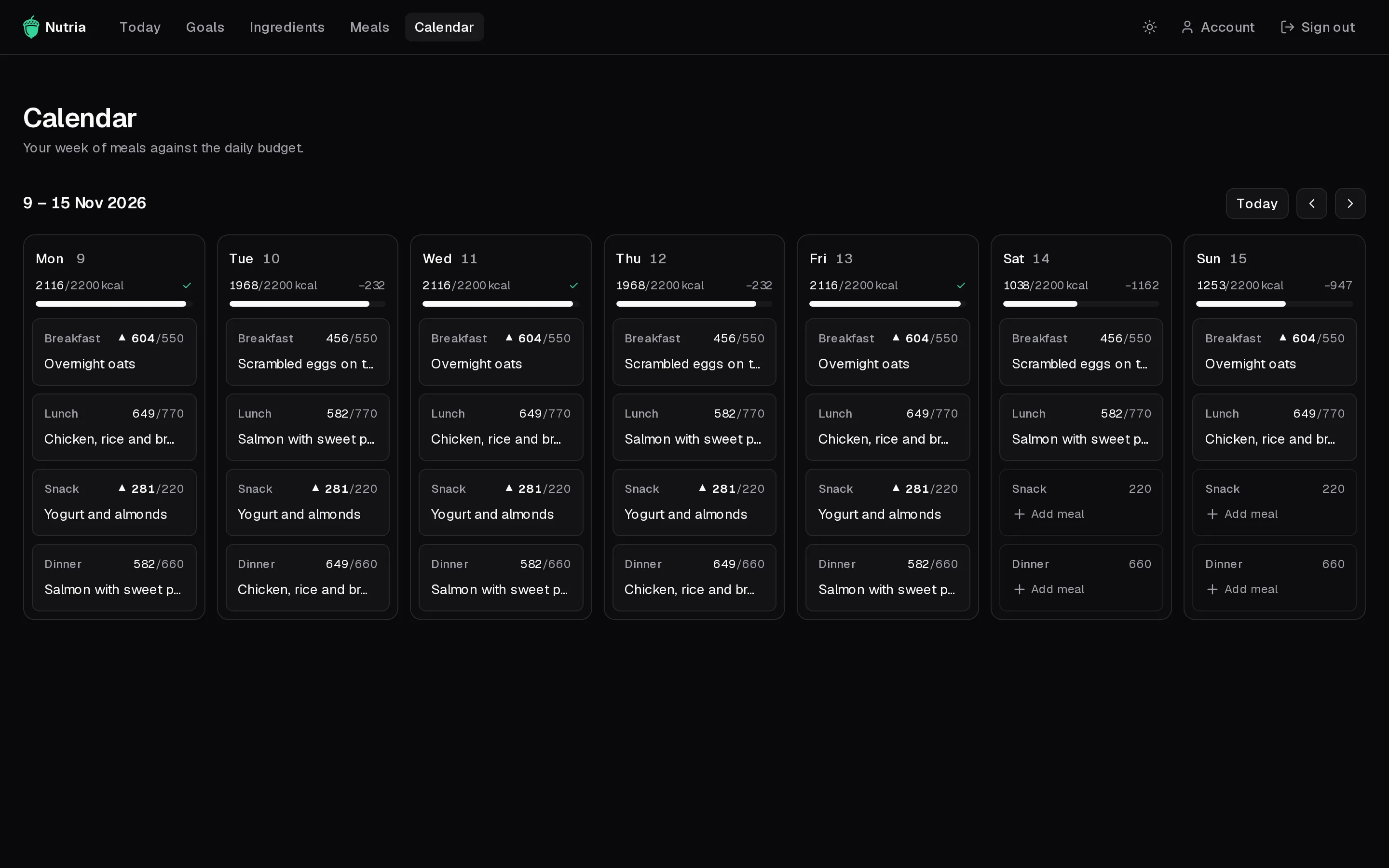
The Calendar shows a week, Monday to Sunday, with one card per meal of each day.
Read the week
Section titled “Read the week”- Each day shows its planned calories against the daily target, with a ✓ when it’s on target or the difference (e.g.
−232) when it isn’t. - Each card shows a meal’s planned calories against its share. A
▲marks one that goes over. - Use the arrows to move between weeks, and Today to come back.
Being over or under isn’t an error, just information to plan around.
Plan a meal
Section titled “Plan a meal”- Click a card. A panel opens with that meal’s protein, carbs and fat against its budget.
- Pick a meal from your library. Each option shows its macros, and how far over it would take you.
- To remove a planned meal, use the bin next to it. Expand it to see its ingredients.
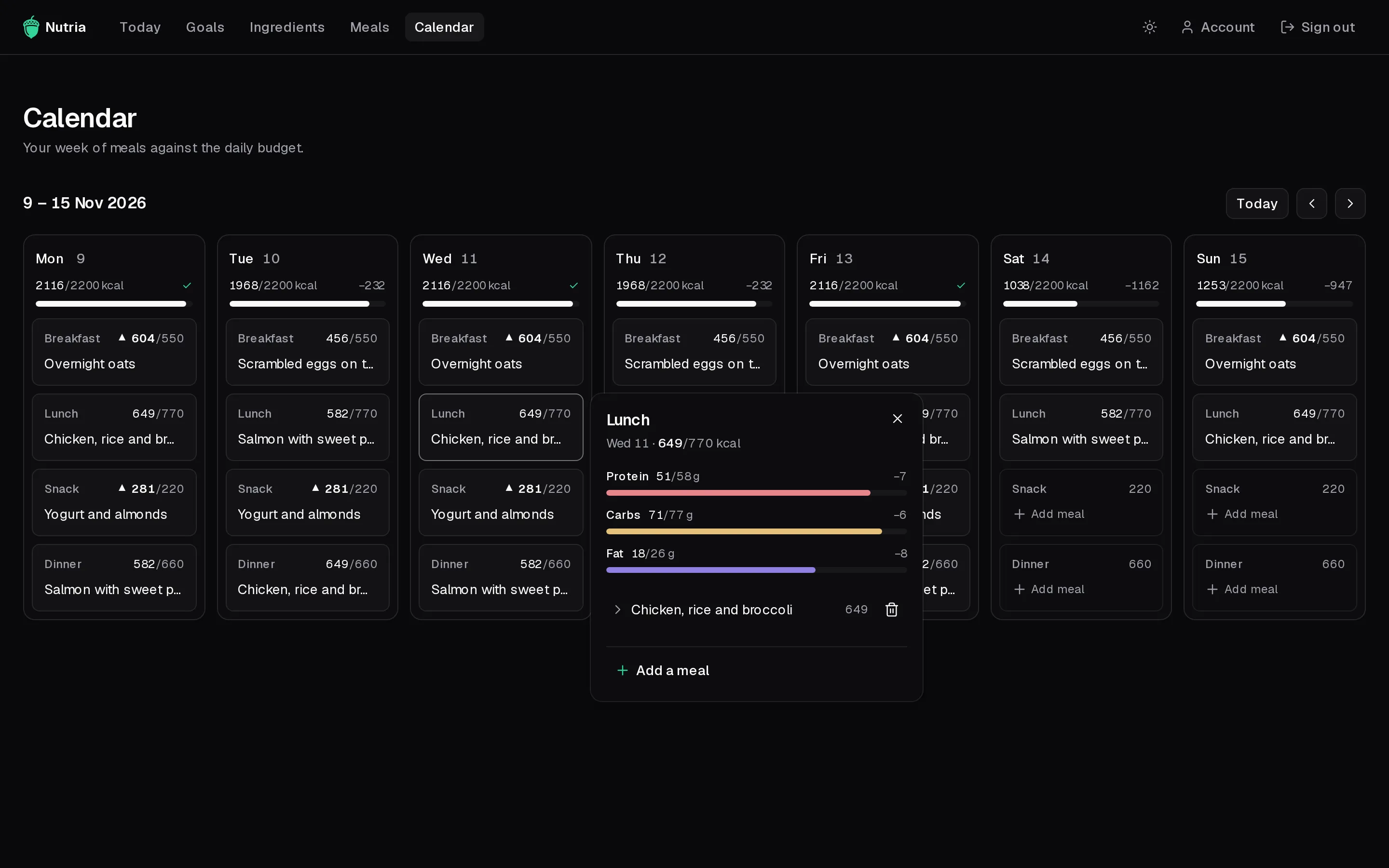
A card can hold more than one meal. Past days are read-only.